Registration & Approval Process
User Register
User creates account using email and mobile number.
Doctor / Hospital Register
After login, user can register as Doctor or Hospital.
Admin Approval
Admin verifies profile and approves account.
Dashboard Access
Approved users can access Doctor Dashboard.
Doctor Dashboard Preview
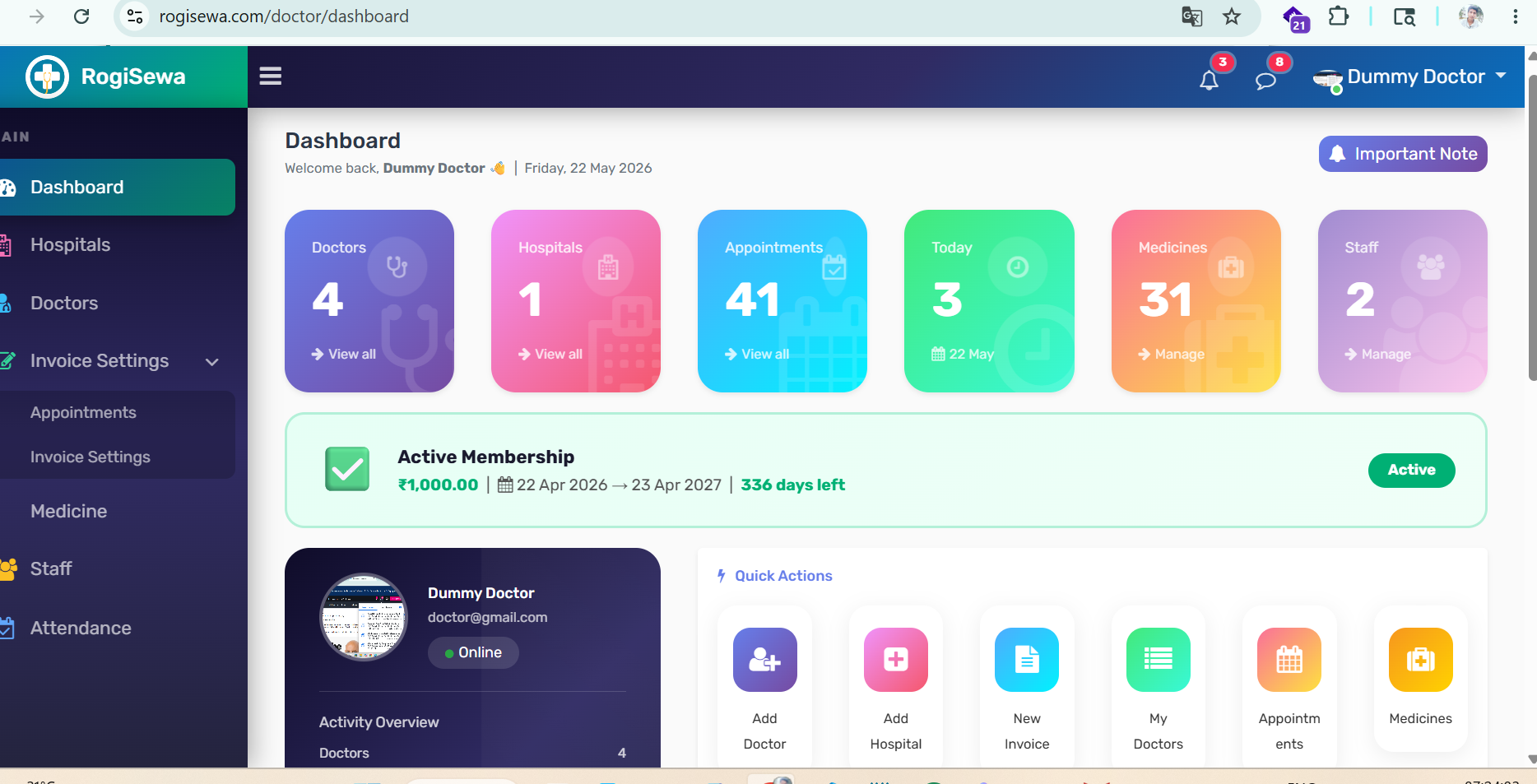
Actual Doctor Dashboard with Hospitals, Doctors, Appointments, Medicines, Staff and Attendance modules.
Step 1 – Create User Account
Register on RogiSewa
Visit rogisewa.com and create your account.
- Create account using email and mobile number
- Login into your account
- Register as Doctor or Hospital
- Profile goes for Admin Approval
- After approval dashboard access will be enabled
Step 2 – Access Dashboard
Doctor Dashboard Overview
After admin approval, login and access: /doctor/dashboard
- View Doctors, Hospitals and Appointments
- Manage Medicines and Staff
- Track Attendance
- Manage Invoice Settings
- View Membership Status
Step 3 – Manage Hospitals
Hospitals Section
Go to: Dashboard → Hospitals
- Add clinic or hospital details
- Manage address and contact information
- Update hospital profile
Step 4 – Manage Doctors
Doctors Section
Go to: Dashboard → Doctors
- Manage doctor profile
- Update specialization and experience
- Manage doctor details and information
Step 5 – Appointments
Manage Appointments
Go to: Dashboard → Appointments
- View patient appointments
- Manage booking schedule
- Track appointment history
Step 6 – Invoice Settings
Invoice & Booking Settings
Go to: Dashboard → Invoice Settings
- Manage invoice settings
- Configure booking system
- Setup appointment timing
Step 7 – Medicines & Staff
Medicine & Staff Management
Go to: Dashboard → Medicine / Staff
- Maintain medicine records
- Add clinic staff
- Manage staff roles
Step 8 – Attendance
Track Attendance
Go to: Dashboard → Attendance
- Track daily attendance
- Monitor staff activity
- Maintain attendance records
Dashboard Features
Dashboard
View dashboard summary
Hospitals
Manage hospitals and clinics
Doctors
Manage doctor profiles
Appointments
Manage patient appointments
Invoice Settings
Manage invoice configuration
Medicine
Maintain medicine records
Staff
Manage staff members
Attendance
Track attendance
RogiSewa कैसे इस्तेमाल करें
- User पहले account बनाएगा
- Login करने के बाद Doctor या Hospital register करेगा
- उसके बाद Admin approval होगा
- Approval के बाद Dashboard access मिलेगा
Dashboard Modules
- Hospitals manage करें
- Doctors profile manage करें
- Appointments track करें
- Medicines maintain करें
- Staff और Attendance manage करें
- Invoice Settings configure करें